
More orders. Less waiting.
Guests order themselves. The restaurant stays in control.
Crinado unites the QR menu, order management and the kitchen display into one system. The guest picks dishes and sends the order from their phone. A waiter reviews and confirms it in their panel. Once confirmed, the order shows up in the kitchen.
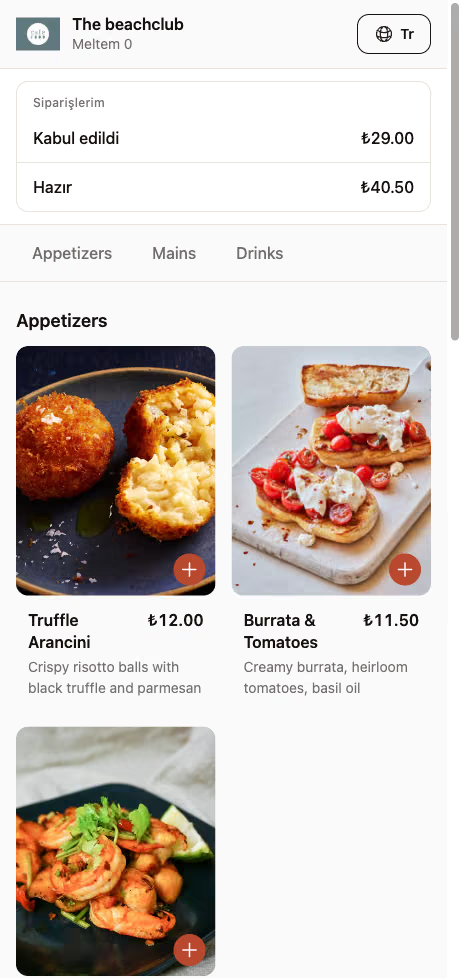
Pick dishes • New order
The order is sent into the system
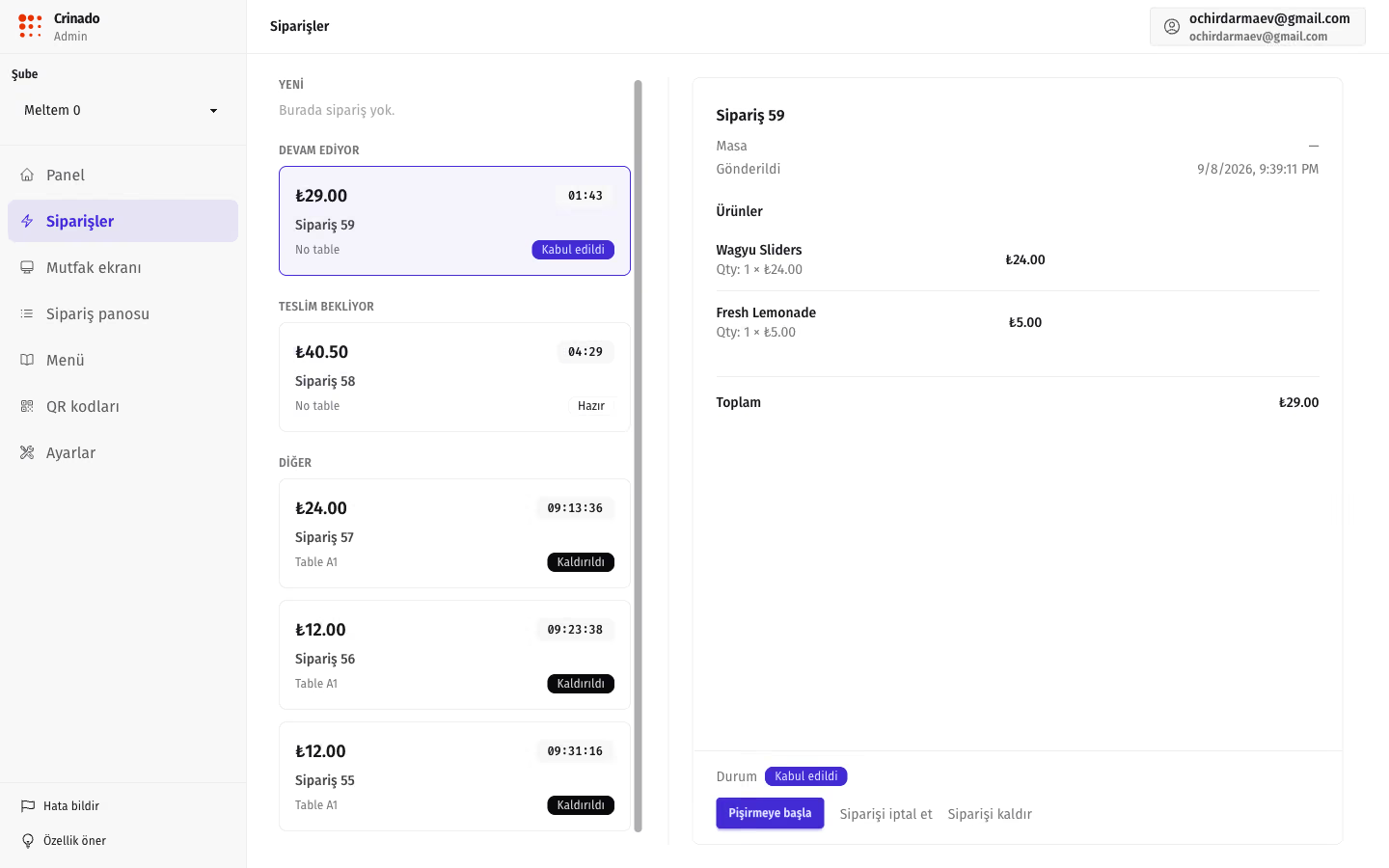
New orders • Review • Confirm
The waiter confirms the check
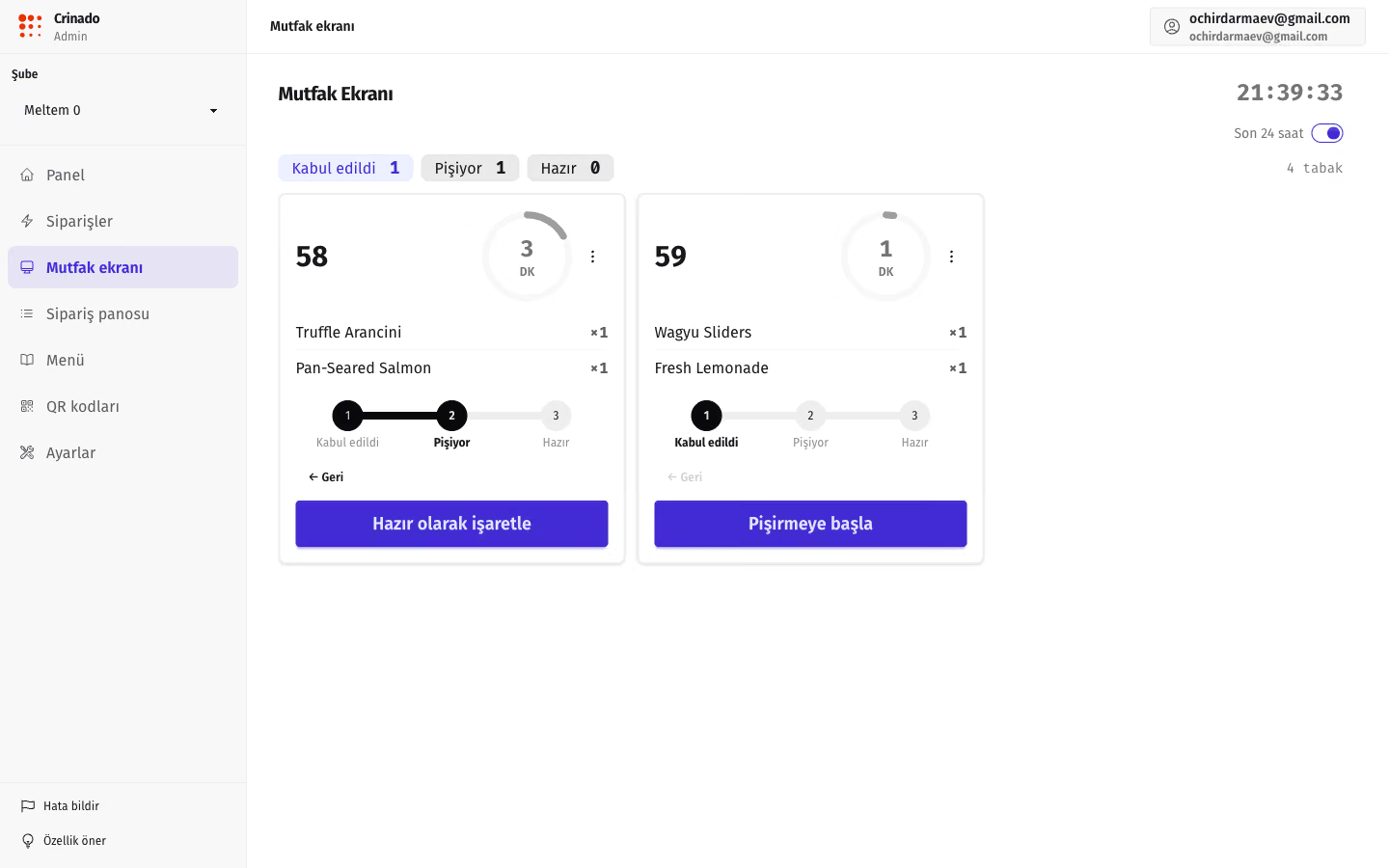
KDS display • Cooking • Ready
The cook manages status and timing
One order. One flow. One system.
Crinado connects everyone in the ordering process.
Guest
Scans a QR code, opens the menu and picks dishes right in the browser — no app to install.
Staff
Gets the new order, checks the items, table and ingredient availability, and confirms it before it goes on.
Kitchen
Sees the confirmed order on the KDS display and runs the cook with timing.
Status
The system syncs the order state across every screen, the pickup board and the guest's phone.
Built for how a restaurant actually runs
Practical product decisions that keep the shift out of chaos.
Instant start for the guest
The guest installs nothing. It opens instantly in Safari or Chrome in a couple of seconds.
Protection from fake orders
Every order goes through staff. No stray or accidental taps reach the line.
A clean kitchen workflow
The kitchen only gets confirmed orders with clear ready-times and no paper mix-ups.
Screens in sync
Statuses sync between screens over WebSockets — no manual page refresh.
How Crinado works
The step-by-step path of an order from the table to the pass.
The guest places the order
Scans the QR code on the table and opens the menu right in the browser. Picks dishes, adds modifiers and sends the order in one tap.
The waiter confirms
The new order appears in the staff panel. The waiter can review the order, check the items and confirm it before it goes to the kitchen.
The kitchen starts cooking
After confirmation the order appears on the KDS. The cook sees the dishes, the order detail and the wait time with colour-coded timer markers.
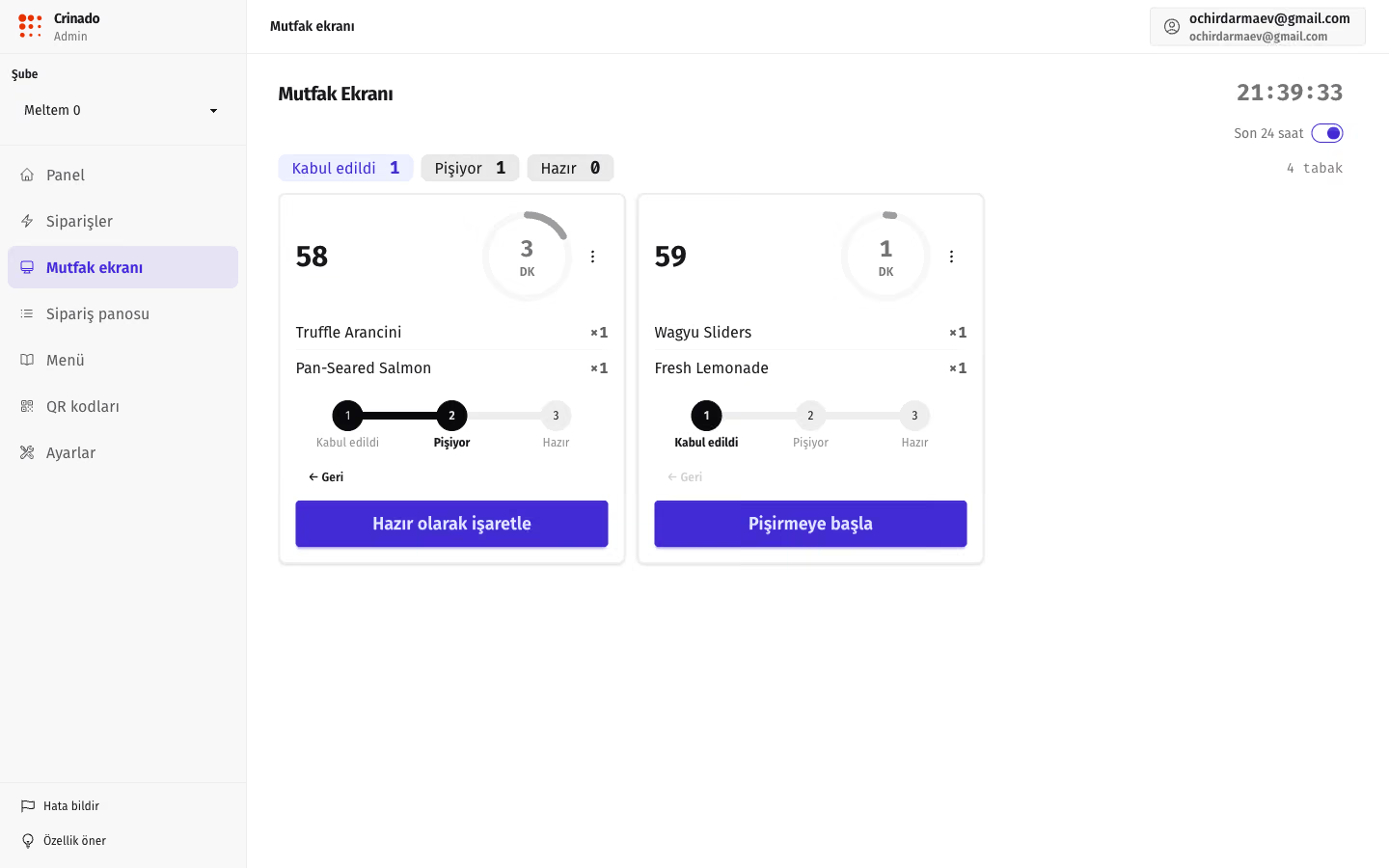
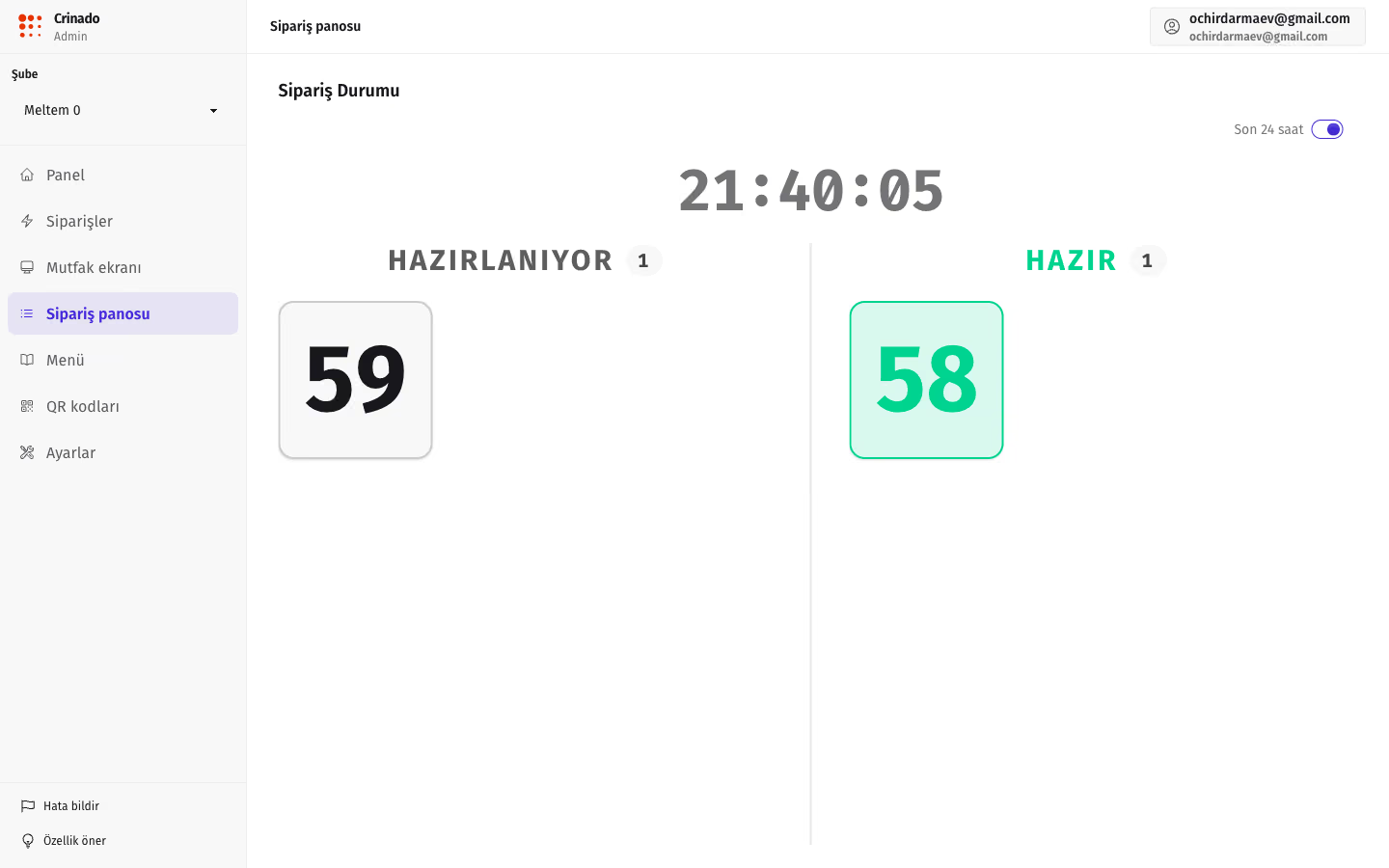
The status updates
When an order changes status the system syncs the information across screens. Staff and guests always see the current order state.
Everything you need for a digital order flow
Connected tools for a coordinated front-of-house and kitchen.
Order Management
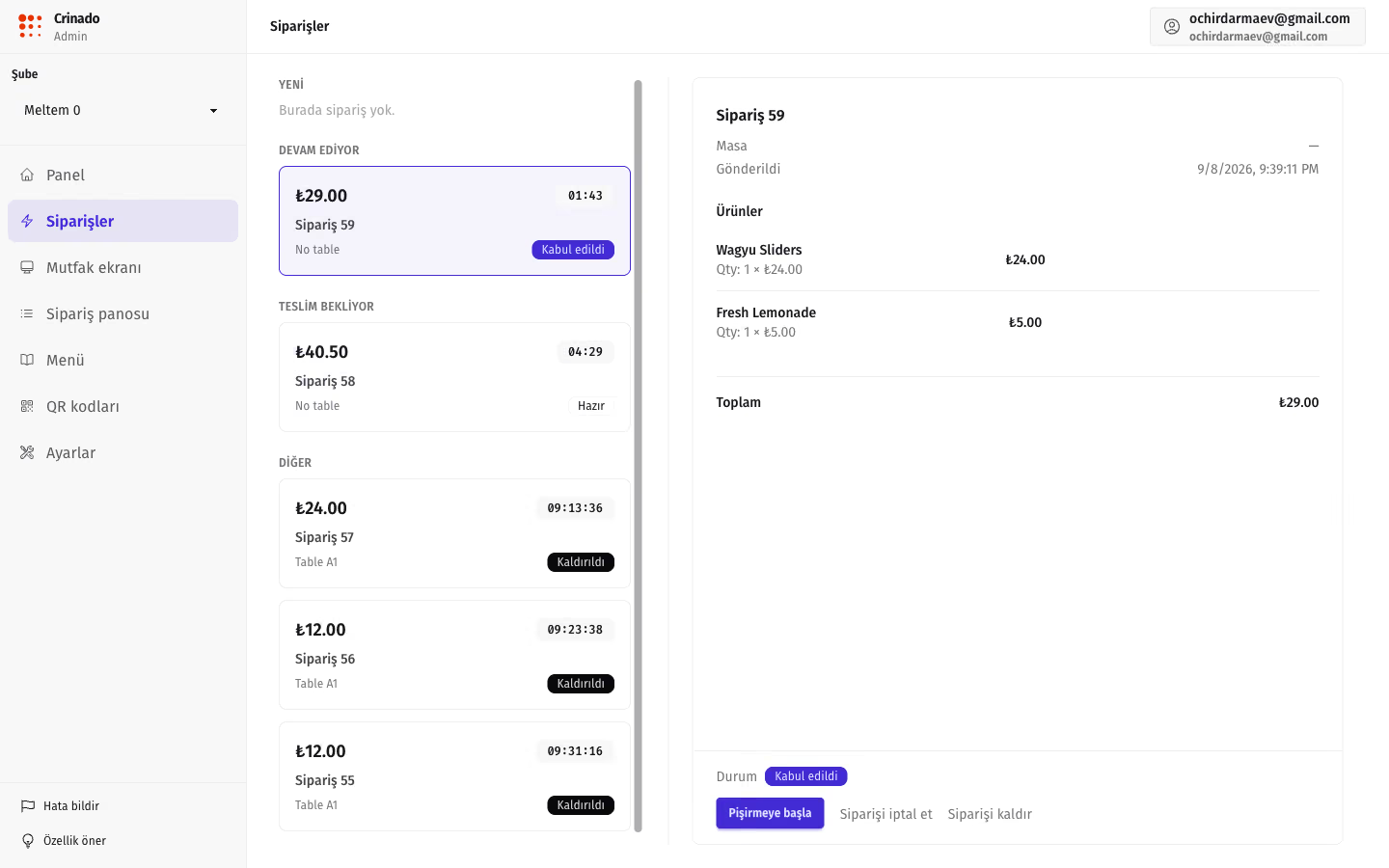
Control over every order. All new orders show up in one staff panel. The waiter sees the table, the items, the comments, the order time and the current status. Before it goes to the kitchen, the order is confirmed by a staff member.
- Split by stage: New, In progress, Ready, Done
- A precise timer for how long a check has been in the system
- Adjust the items before it reaches the kitchen
QR Menu
A menu guests open right away. The guest scans a QR code and gets fast access to the menu — no app, no sign-up, no waiting for a waiter just to see the menu.
Kitchen Display (KDS)
The kitchen only sees orders that are ready to work. After confirmation the order appears on the KDS. The cook can accept the order, start cooking, mark it ready and keep an eye on the timing.
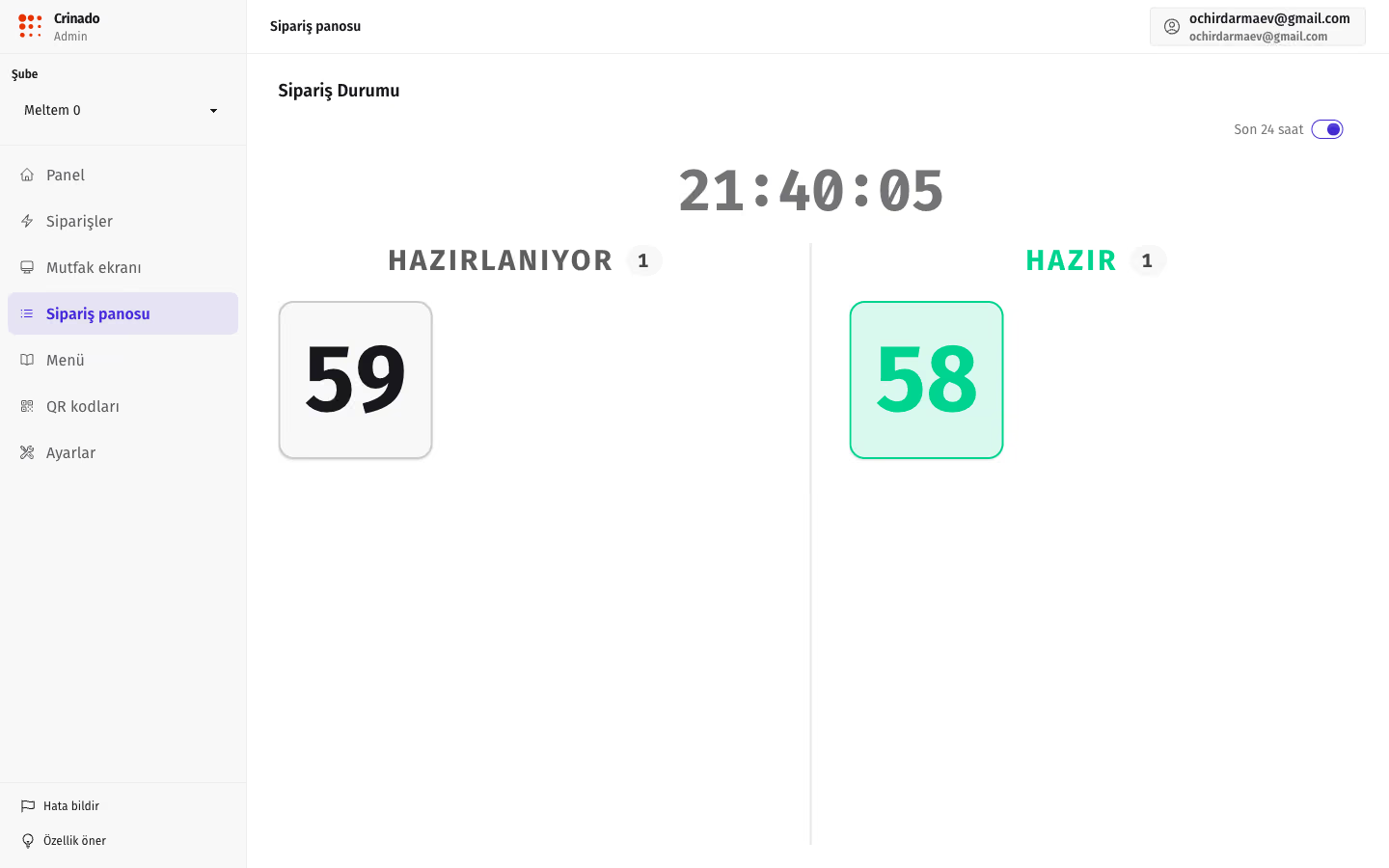
Order Status (pickup board)
Everyone knows what's happening with an order. The order status syncs between the staff system and the kitchen. You can run a public board for the pickup area.
Menu Management
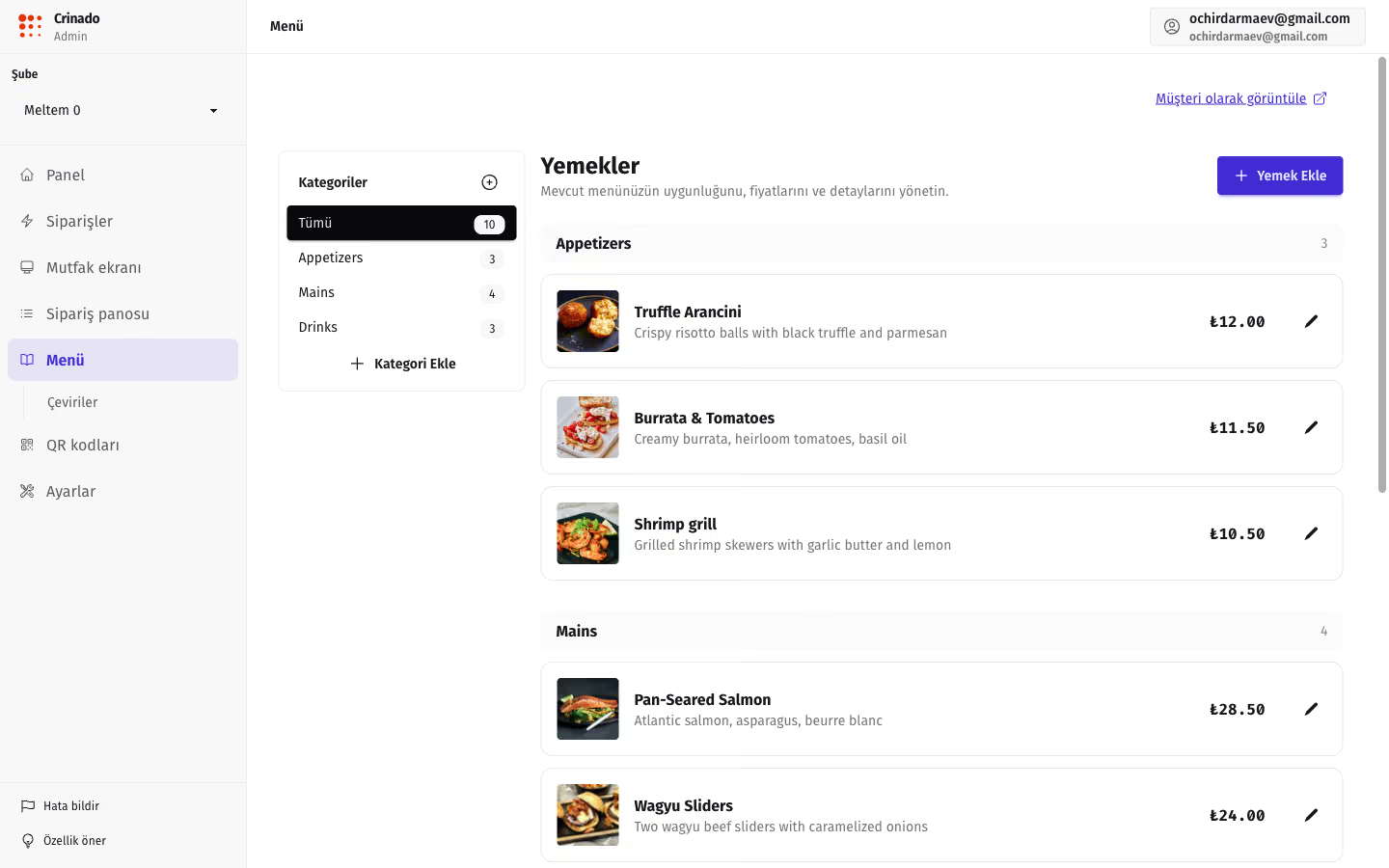
Change the menu with no designer and no developer. Add dishes, change prices, move items to the stop list, manage translations.
QR Tables
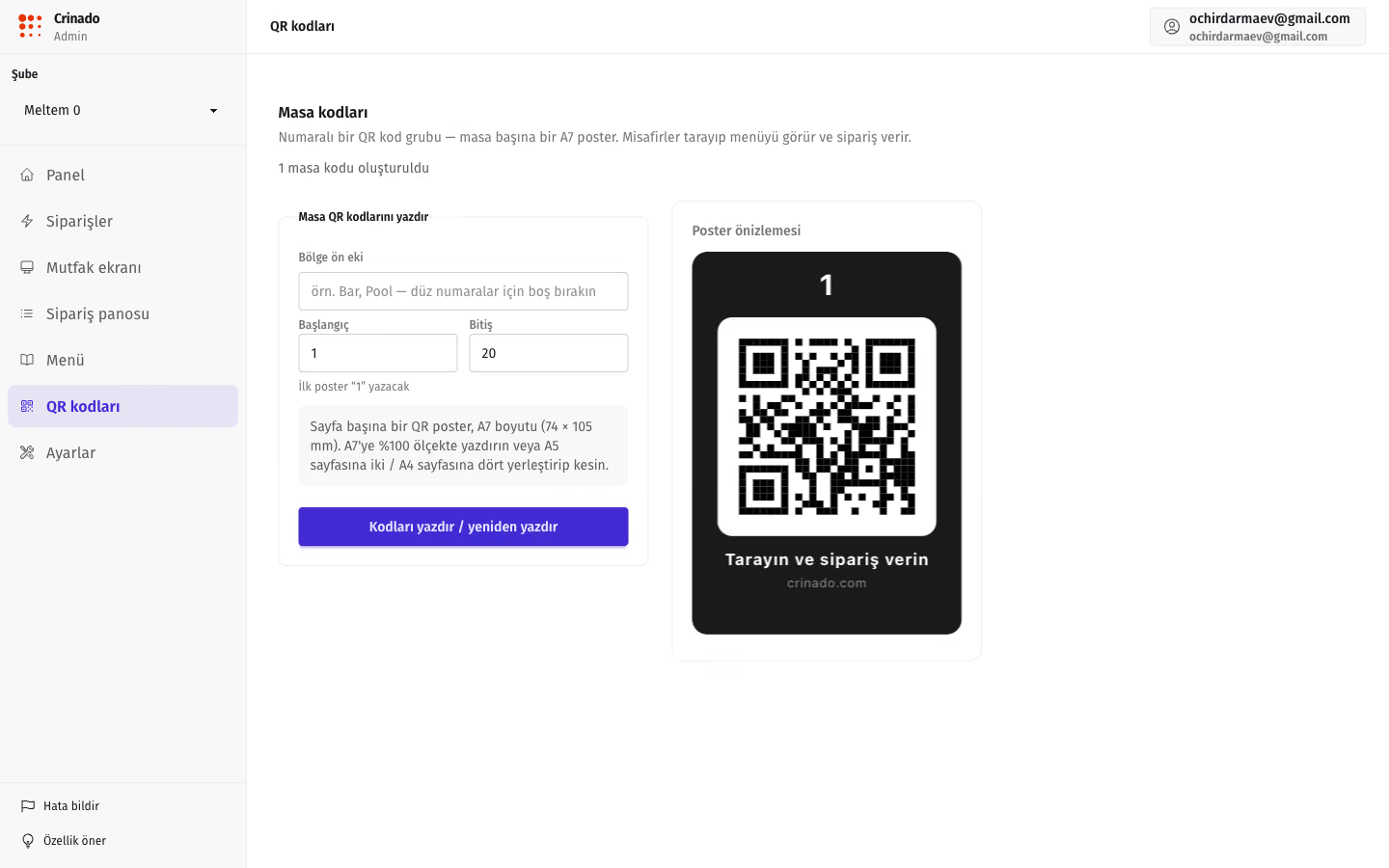
Create QR codes for every table in minutes. Each table gets its own QR code. The system links the order to the right table automatically.
Automation without losing control
Not every restaurant is ready to send a guest's order straight to the kitchen. Crinado keeps control with the staff.
Control over every order
A staff member sees the guest check before cooks start spending product.
A chance to fix a guest's mistake
If the guest added an extra dish by accident or mixed up a sauce, the waiter fixes the check.
Quick ingredient-availability check
A chance to warn the guest about a substitution in time, before the dish goes to the line.
Managing kitchen load at peak hours
The chef and manager pace the flow of checks and avoid queues at the pass.
A smooth, safe move to digital
The team isn't stressed by a sudden rebuild of working habits.
Pick the model that fits your venue — from strict confirmation to full automation.
Every guest order lands in a review queue for staff. The kitchen only sees the order after “Confirm” is tapped.
Direct flow: the order shows on the kitchen KDS right away (a fit for fast-casual and coffee shops).
Flexible scenarios: drinks go straight to the bar, while complex hot dishes need a waiter's confirmation.
See how Crinado works in your restaurant
Connect the menu, create table QR codes and test the full order flow: Guest → Staff → Kitchen.
Start for freeSet up your menu and first venue in a few minutes. No credit card.